From Amazon
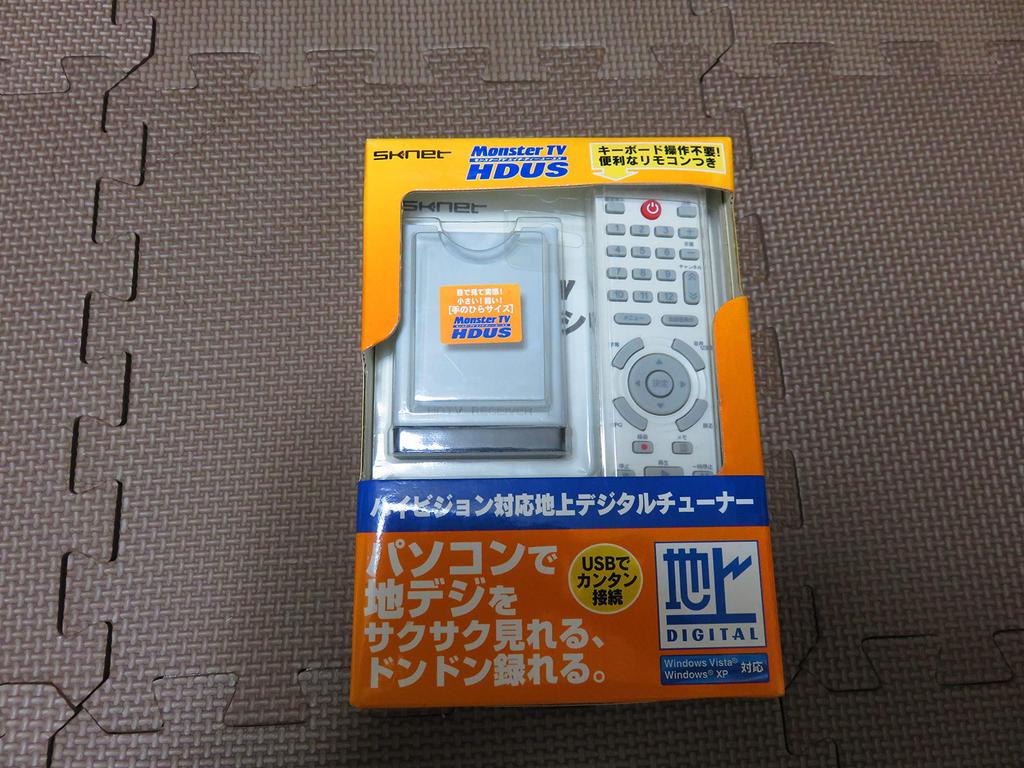
[Palm-Sized] Terrestrial Digital TV Tuner Unit
Turn your PC into a terrestrial digital LCD TV or HDD recorder. USB connection also works with laptops.
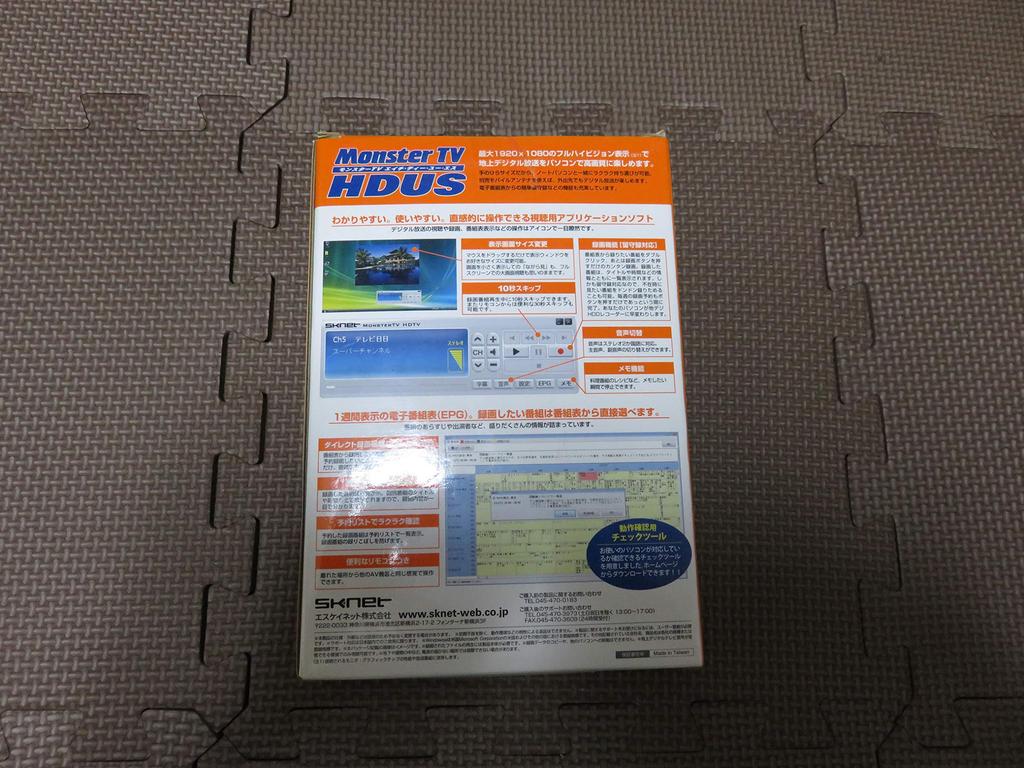
Enjoy high-definition terrestrial digital broadcasts on your PC with up to 1920x1080 full HD display*. It also comes with a full range of features for easy terrestrial digital broadcasting, including easy answering machine recording from the electronic program guide. Watching, recording, and viewing digital broadcasts are easy with the original application, which features intuitive icon controls. Supports stereo bilingual audio. Press the record button to start recording, and recorded programs are displayed in a list with information such as title and time. Answering machine recording is also supported, so you can quickly record programs you want to watch while you're away and review them later. Instantly transform your PC into a terrestrial digital HDD recorder.
*Depends on the performance of the connected monitor/graphics chip and the broadcast program.
Recommendations for watching terrestrial digital broadcasts on your PC
This device is a great addition to your PC, featuring a terrestrial digital-compatible LCD TV and an easily expandable HDD recorder. Enjoy high-quality, high-definition broadcasts. Because computer monitors have high resolution, they're a perfect match for high-quality terrestrial digital broadcasts. It offers a sense of realism and impact. Due to differences in resolution, terrestrial digital broadcasts (HD video) offer clear, crisp detail, while analog broadcasts (SD video) tend to appear blurry overall.
This is convenient. Here are some ways to use terrestrial digital broadcasts on your PC:
For those who prefer a simpler setup without a PC and a TV, this can be used as a living room TV. In the kitchen, study, or as your own personal TV. It can also be used with a laptop PC, so you can watch digital broadcasts recorded in the living room in the bedroom.
It fits comfortably in the palm of your hand. It weighs approximately 80g. Its palm-sized design makes it easy to carry around with your laptop. Since MonsterTV HDUS is powered by your computer, you can enjoy digital broadcasts on the go with a separately sold mobile antenna.
Enjoy watching while doing other things or in full HD.
Resize the display window to your liking by simply dragging the mouse. You can enjoy full-screen viewing, or even a smaller version for more enjoyment. Simply display the program in a smaller size while working on your computer, and then double-click to expand to full screen when you see something interesting.
Subtitle Function
Dialogue and narration are displayed, so you can enjoy the program even without the sound. Subtitles make even difficult-to-hear words clear. This function is only available for programs that support subtitled broadcasting.
Once you use it, you'll understand. Easy-to-use viewing application software, even for beginners.
The intuitive control panel, already popular with beginners, has been further enhanced. Icons clearly show operations for viewing, recording, and viewing the program guide. Recording is easy, just press the record button. Pause the screen when you want to take notes, such as a cooking show recipe or prize information.
Easily view a weekly program guide (EPG) at a glance
The weekly program guide (EPG) makes checking programs a breeze. It's packed with information like program summaries and cast members.
Background EPG Retrieval
The EPG (Electronic Program Guide) automatically updates and displays in the background while your computer is running. No stressful waiting.
Easily schedule special programs. Record dramas weekly. Record away from home.
Just double-click the program you want to schedule. Scheduling is easy. With answering machine support, you can record shows you want to watch while you're away. Choose between "Record" and "Weekly Record," so you'll never miss a special program or your favorite drama. No complicated keystrokes are required. Automatically wakes up from sleep mode. The TV automatically goes into sleep mode when a scheduled recording is finished.
Record to an external hard drive, so you don't have to worry about large storage capacities.
Even a one-hour recording can take up a considerable amount of space, even with the high-quality image. Recording to the internal hard drive and then transferring it is a hassle. With MonsterTV HDUS, you can save directly to an external hard drive as well as the internal hard drive, so you don't have to worry about storage space. You can keep plenty of recorded programs with ease.
Easily check schedules, playback, and deletion with a list view.
Recorded programs are listed in the "Scheduled List" tab, with titles and times displayed, so you can see what's been recorded at a glance. The "Playlist" tab and "Delete Tool" are also displayed in a list view. The list view ensures you won't miss a program. You can also view the program guide, schedule the list, play, and delete all with the remote control.
Control from a distance, just like a TV. A convenient remote control is included as standard.
A convenient remote control is included, allowing you to enjoy AV content from a distance. Change channels, adjust the volume, record, and play from anywhere, just like a home TV remote. View the program guide, add scheduled recordings, and play recorded files—all with a single remote control. The MonsterTV HDUS unit has a built-in receiver on the front, eliminating the need for a separate remote control.
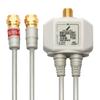
Includes an F-type antenna connection adapter.
This adapter can be used to connect to a home antenna. Use it to connect the antenna input of your digital broadcast receiver to an antenna jack or TV antenna output. Connect directly to your home's antenna cable to receive digital terrestrial broadcast signals.
"HD Check Tool" Operation Check Tool
We offer a check tool to confirm your computer is compatible with this product.
Take your digital terrestrial broadcasts with a mobile antenna with a booster (sold separately)
We also offer an optional mobile antenna with a booster for the MonsterTV HDU series. Power is supplied from the tuner unit, so you can use it on the go. The suction cup on the back of the unit can be attached to a window or other surface, or the included stand can be used on a desktop (cable length: approximately 3.5m).
Electromagnetic interference countermeasures are also provided - VCCI certified.
This product complies with the standards set by the industry association VCCI, which aims to prevent electromagnetic noise generated by office equipment, and is classified as a "Class B information technology device."
Compliant with the RoHS Directive
Complies with the RoHS Directive, a European Union directive restricting the use of certain hazardous substances in electrical and electronic equipment.
Product Description
SK-NET
Type: Capture
Format: BOX
Bus: USB
Tuner: Digital
Compatible Models: DOS/V


 Vrátenie peňazí za nedoručenie